
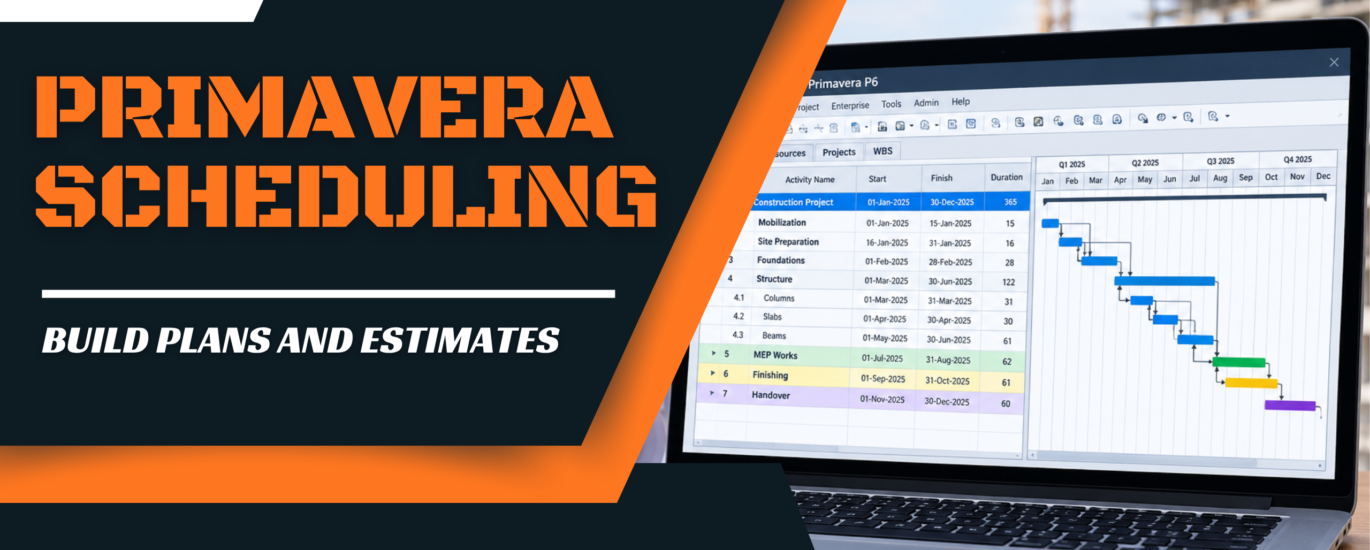
Primavera Scheduling Services: Professional P6 Schedules for Construction Projects
Primavera scheduling services are expert Oracle Primavera P6 schedule builds, updates and analysis, delivered by specialist planners so you do not need an in-house scheduler or a P6 licence.
Build Plans And Estimates serves general contractors, subcontractors, owners and developers. You get a baseline schedule with clean logic, a clear critical path and resource and cost loading. You also get monthly updates and delay analysis, delivered as native .XER and PDF files that are ready to submit.
What Are Primavera Scheduling Services?
Oracle Primavera P6 is the scheduling software used on large, complex construction projects. It lets a planner break a project into activities, link them with logic and calculate the critical path, which is the chain of tasks that sets the finish date. It also tracks resources, costs and progress against a saved baseline.
Excel is fine for a to-do list. It cannot calculate float, track a critical path or support a time extension request.
Definition: Primavera scheduling services are outsourced P6 planning services. A specialist builds, updates and analyzes your CPM schedule, so you get a contract-grade programme without the cost of software, training or a full-time hire.
Why do contract-driven projects use P6 instead of Excel or MS Project?
Scale
P6 handles thousands of activities, many calendars and several linked projects in one database.
Control
You can store multiple baselines, load resources and costs, and compare plan against actual progress.
Contract acceptance
Owners, lenders and public agencies often specify P6 (or an .XER file) for schedule submittals and delay claims.
Want a deeper look at the method behind it? See our CPM scheduling services.
Why Outsource Primavera Scheduling?
Most contractors do not need a P6 planner every day of the year. They need one when a bid is due, a baseline is required or a delay needs documenting. Outsourcing matches the cost to the work.
No full-time salary
A permanent scheduler brings salary, benefits, training and management time, even in quiet months. With a service, you pay per schedule or per update.
No P6 licence to buy
P6 licences are a real annual expense per seat. We already run the software, so you only receive the finished files.
Specialist skill on demand
Experienced P6 planners are hard to find and hard to keep. Our team builds logic and runs analysis every working day.
Fast, flexible capacity
Need three schedules this week and none next month? We scale with your bid and project calendar, with quick turnaround on urgent updates.
Our Primavera P6 Scheduling Services
Our Primavera scheduling services cover the full life of a schedule, from the first baseline to the final as-built record. Pick one deliverable or bundle them. Our CPM scheduling team handles every item below.
Baseline schedule development
A complete, logic-driven baseline built from your plans, contract dates and milestones.
WBS and EPS structure setup
A clean work breakdown and enterprise project structure so reports roll up correctly.
Activity logic and relationships
FS, SS, FF and SF relationships with lags, so the network behaves like the real build.
Calendars and constraints
Workweek, holiday and weather calendars, with constraints used sparingly and only where the contract needs them.
Resource and cost loading
Labor, equipment, materials and costs assigned to activities for histograms and S-curves.
Monthly updates and progress tracking
Actual dates, percent complete and a refreshed critical path every reporting period.
Look-ahead schedules
Short-term 2, 3 and 6 week plans that field teams can actually use.
Recovery and acceleration schedules
Options for getting back on track, with the cost and logic impact shown.
Schedule narratives and reports
Plain-English narratives explaining the critical path, assumptions and changes.
P3 and MS Project conversion
Legacy file conversion to P6, with XER import and export and a full logic check.
Need a P6 schedule for your next project?
Get your P6 schedule quoteOur Primavera Scheduling Process
Every job follows the same five steps, so you always know what happens next and when you will see a draft.
Send plans and contract
Share drawings, the contract schedule clauses and key milestones. We review scope, dates and any owner requirements.
Build WBS, activities and logic
We set up the WBS, list the activities and link them with the right relationships and calendars.
Assign durations, resources and costs
Durations come from quantities and crew productivity. Resources and costs are loaded where required.
Run the schedule and check the critical path
We calculate, test float and look for open ends, constraints and negative float before anything leaves our desk.
Deliver the draft, revise, send final files
You review the draft, we revise it, and you receive the final .XER, PDFs and narrative.
Key Primavera P6 Concepts Explained
Understanding a few core ideas makes any schedule easier to review, challenge and defend.
Critical path and float
The critical path is the longest chain of linked activities. Total float is how long an activity can slip without delaying the project finish. Free float is how long it can slip without delaying its successor. Zero or negative total float means the activity is critical.
Baseline vs current schedule
The baseline is the approved plan saved as a reference. The current schedule holds actual progress and forecasts. Comparing the two shows exactly where you are gaining or losing time.
Gantt, histogram and S-curve
A Gantt chart shows activities on a timeline. A resource histogram shows labor or equipment demand by period. An S-curve plots cumulative progress or cost and shows if you are ahead or behind plan.
Earned value basics
Earned value compares planned value (PV), earned value (EV) and actual cost (AC). Schedule performance index is SPI = EV / PV. Cost performance index is CPI = EV / AC. Below 1.0 means behind schedule or over budget.
Relationship types in P6
| Type | Meaning | Example |
|---|---|---|
| Finish to Start (FS) | Successor starts after predecessor finishes | Framing finishes, then roofing starts |
| Start to Start (SS) | Successor starts after predecessor starts | Rough-in begins once framing is under way |
| Finish to Finish (FF) | Successor finishes after predecessor finishes | Testing finishes after electrical installation finishes |
| Start to Finish (SF) | Successor finishes after predecessor starts (rare) | Temporary power stays until the permanent supply starts |
Any relationship can carry a lag (a wait, such as concrete curing) or a lead (an overlap).
Types of Projects We Schedule
From a single building to a multi-phase development, we match schedule detail to project size and contract needs.
Residential
Single-family, multi-family and townhome projects. See our residential estimating for cost support.
Commercial
Offices, education, medical and mixed-use buildings. Pair schedules with commercial estimating.
Industrial
Plants, warehouses and process facilities with heavy sequencing. See industrial estimating.
Infrastructure
Roads, utilities and site packages, supported by sitework estimating.
Hospitality
Hotels and restaurants with tight opening dates and phased fit-outs.
Retail
Shopping centers and tenant fit-outs where handover dates drive the plan.
Need something else? Browse all Build Plans And Estimates services or ask us directly.
Tell us about your project and get a schedule quote.
Get your P6 schedule quoteSchedule Updates, Delay Analysis and Claims Support
A schedule is only useful if it stays current. We update progress every period, then go further when a delay hits and you need to show what happened, who is affected and how much time you are owed.
As-planned vs as-built
We compare the baseline to what actually happened, activity by activity, to show where and when time was lost.
Windows analysis
We split the project into time windows, update the schedule in each one and measure how the critical path moved.
Time impact analysis
We insert a delay event into the schedule as it stood before the event and measure the effect on the finish date.
Extension of time support
We prepare the schedule evidence and narrative behind your EOT request, so your claim rests on calculated float, not opinion.
Delay work depends on good records, so we ask for daily reports, correspondence and approved change orders early. Our analysis supports your claim, while legal advice and entitlement decisions stay with your counsel.
Primavera P6 vs MS Project vs CPM Scheduling
CPM is the calculation method. P6 and MS Project are tools that run it. Here is how they compare in practice.
| Factor | Primavera P6 | MS Project | CPM scheduling |
|---|---|---|---|
| Complexity | High, built for large networks | Low to medium | Method, works in either tool |
| Resource loading | Strong, with curves and limits | Basic to moderate | Depends on the software used |
| Cost tracking | Detailed cost accounts and earned value | Limited | Depends on the software used |
| Contract use | Widely specified for submittals and claims | Accepted on smaller contracts | Required logic basis for delay analysis |
| Risk analysis | Supported with add-on risk tools | Limited | Float and critical path give a first view |
| Best fit | Large, multi-phase, owner-controlled projects | Small and mid-size jobs | Any project that needs a logic-driven plan |
Not sure which suits your contract? Check the schedule clause first. If it names P6 or an .XER file, that settles it. We also work with MS Project files and convert them when needed.
How Primavera Scheduling Connects with Estimating
Most schedulers work in isolation. We do not. A cost-loaded schedule is only as good as the quantities behind it, and quantities come from accurate takeoffs.
Because Build Plans And Estimates handles both, your durations and costs come from the same drawings. Our construction takeoff services give the quantities, our construction estimating services give the pricing and the schedule ties them together by time.
See all 16 CSI trades we estimate to see how far one team can take you.
- Early budgets: a preliminary estimate or budget estimate can be spread across a cost-loaded schedule to forecast cash flow.
- Trade packages: concrete, structural steel, MEP and sitework quantities set realistic durations for each phase.
- Change control: when scope changes, the estimate and schedule update together, so the new cost and the new finish date match.
Want estimating and scheduling from one team?
Get your P6 schedule quoteCommon Scheduling Mistakes We Fix
When we review an existing schedule, the same problems show up. Each one weakens the critical path and your position in a dispute.
Missing logic and open ends
Activities with no predecessor or successor float freely and hide the true critical path. We link every task.
Too many constraints
Hard date constraints override logic and mask delays. We use them only where the contract demands.
Unrealistic durations
Durations pulled from thin air fail on site. We base them on quantities and crew output.
Wrong calendars
A seven-day calendar on a five-day crew distorts the finish date. We set calendars per activity type.
Baseline not updated after change orders
Without a revised baseline, you cannot show the impact of approved changes. We track and document revisions.
Negative float ignored
Negative float is a warning that the plan cannot meet its date. We flag it and offer recovery options.
Have a schedule that needs a second look?
Get your P6 schedule quoteDeliverables You Receive
Every project closes with files you can open, submit and archive.
Native and print files
.XER file for P6 and PDF prints for review meetings and submittals.
Charts and diagrams
Gantt chart, network diagram, resource histogram and S-curve.
Schedule narrative
A written report on the critical path, assumptions, constraints and key risks.
Want to see the standard first? Request a sample P6 schedule and we will send an example of our output.
Pricing and Turnaround
Every project is quoted individually, because schedules vary widely. These factors drive the fee:
- Project size and type: a single building versus a multi-phase development.
- Level of detail: summary milestones versus a fully resource and cost-loaded network.
- Number of activities: more activities mean more logic to build and check.
- Update frequency: monthly, bi-weekly or weekly, plus look-ahead schedules.
Typical turnaround for a first draft (confirmed in your quote):
| Project scale | Approx. activities | Baseline draft | Monthly update |
|---|---|---|---|
| Small | Up to 199 | 2 to 4 business days | 1 to 2 days |
| Mid-size | 199 to 599 | 4 to 8 business days | 1 to 3 days |
| Large or multi-phase | 599+ | 8 to 15 business days | 2 to 4 days |
See our pricing page for how we scope and bill, then send your plans for a quote.
Send plans and contract for a schedule quote.
Get your P6 schedule quoteWhy Choose Build Plans And Estimates
16 CSI trades covered
Our team understands how each trade is built, so durations and sequences reflect real work. View our trades.
USA, UK, Canada and Australia
We support contractors and owners across these markets and work to local contract formats.
Bid-ready delivery
Files arrive organized and ready to submit with a bid, a baseline or a claim.
Estimating and scheduling together
One team, one set of quantities, so your cost and time plans always agree.
Our estimating team has completed 500+ projects, and the same discipline goes into every schedule. Read more about Build Plans And Estimates.
Primavera Scheduling Services FAQs
What are Primavera scheduling services?
Primavera scheduling services are professional Oracle Primavera P6 scheduling support. A specialist team builds your baseline schedule, loads resources and costs, runs monthly updates and prepares delay analysis, so you get contract-ready CPM schedules without hiring a full-time planner or buying P6 licences.
How much do Primavera scheduling services cost?
Cost depends on project size, level of detail, number of activities and how often the schedule is updated. A small project costs far less than a multi-phase build with resource and cost loading. Send your plans and contract for a quote, and see our pricing page for how we scope work.
What is the difference between Primavera P6 and MS Project?
Primavera P6 is built for large, contract-driven projects with many activities, multiple baselines, resource and cost loading and delay analysis. MS Project is simpler and suits smaller jobs with basic tracking. Owners and public contracts often specify P6, which is why many contractors outsource that work to specialists.
How long does it take to build a baseline schedule?
A baseline schedule usually takes a few business days for a small project and one to two weeks for a large, detailed one. Timing depends on drawing quality, contract milestones, activity count and the number of review rounds. We confirm the delivery date in your quote before work begins.
Can you convert my MS Project or P3 file to P6?
Yes. We convert legacy P3 and MS Project files into Primavera P6 and exchange XER files with your team. We then check logic, calendars, constraints and relationships after the import, because conversions often carry over open ends and broken links that need cleaning up.
Do you provide schedule narratives and delay analysis?
Yes. Every schedule can include a written narrative that explains the critical path, key assumptions and milestones. We also prepare delay analysis, including as-planned versus as-built comparisons, windows analysis and time impact analysis, to support extension of time requests. Legal advice stays with your counsel.
Do you offer resource and cost-loaded schedules?
Yes. We assign labor, equipment, materials and costs to activities, then produce resource histograms and S-curves. Cost-loaded schedules help with cash flow, progress billing and earned value tracking. Because we also estimate and take off quantities, the costs come from the same project data.
What file formats do I receive?
You receive the native Primavera P6 .XER file, which opens in P6, plus PDF prints of the Gantt chart, network diagram, resource histogram, S-curve and schedule narrative. We can also supply other exports on request, so your owner or consultant can import the schedule without trouble.
Which projects do you schedule?
We schedule residential, commercial, industrial, infrastructure, hospitality and retail projects for general contractors, subcontractors, owners and developers. Work ranges from single buildings to multi-phase developments, and covers new construction, renovations and tenant fit-outs in the USA, UK, Canada and Australia.
Can you update my schedule monthly?
Yes. We take your progress data each month, update actual dates and percent complete, re-run the critical path and send an updated schedule with a short progress report. Weekly or bi-weekly updates and 2, 3 and 6 week look-ahead schedules are also available.
Get Your P6 Schedule Quote
Strong Primavera scheduling services give you a schedule you can defend. Send your plans and contract, and we will return a quote with your delivery date.