
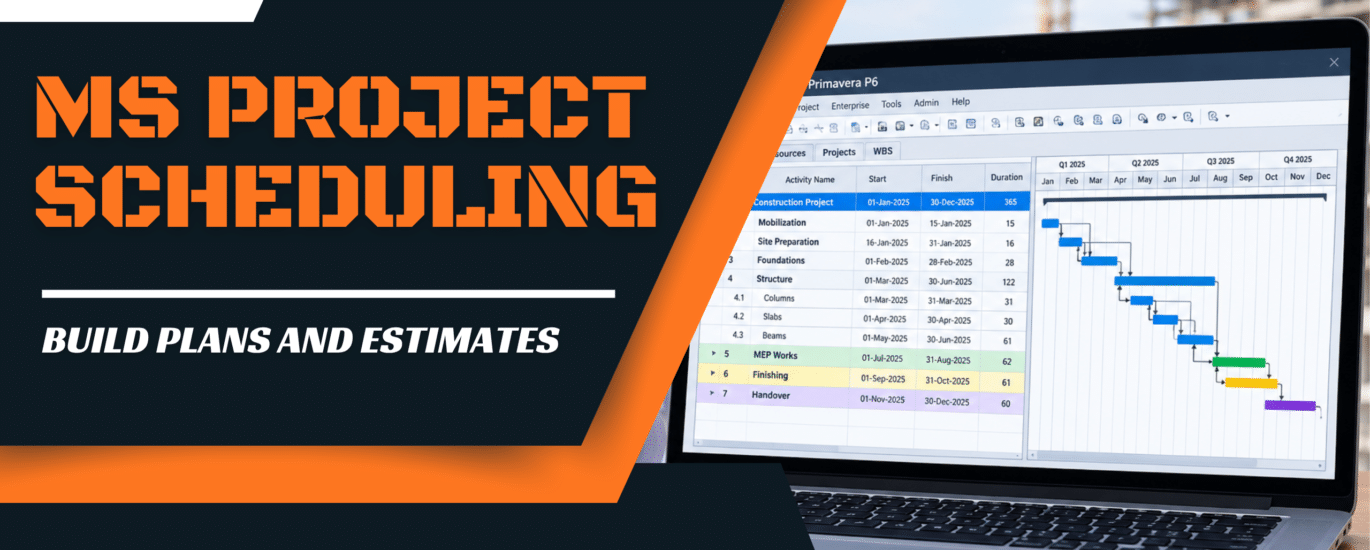
MS Project Scheduling Services: Construction Schedules Built in Microsoft Project
Our MS Project scheduling services turn drawings, scope and milestones into a logic-linked, baselined construction schedule your team can actually run. Built on proven CPM scheduling methods, every project is delivered for contractors, developers and owners. Browse all our services or get a price today.
- .mpp file
- PDF report
- Excel export
What Are MS Project Scheduling Services?
MS Project scheduling services are professional support for building a construction schedule in Microsoft Project. A scheduler breaks the job into tasks, links them with logic, assigns durations, calendars and resources, sets a baseline, then updates progress, delivering a Gantt chart, critical path and reports that guide planning and decisions.
Unlike a generic template, a professionally built schedule reflects your drawings, scope, calendar and contract milestones. It becomes a working tool for sequencing trades, controlling cost and spotting problems early, rather than a chart made once and forgotten.
Who Our MS Project Scheduling Services Are For
General contractors
Sequence trades, win bids with credible schedules and protect the completion date.
Subcontractors
Show when your scope can start, request access and avoid blame for delays you did not cause.
Developers
Test phasing, financing milestones and delivery dates before committing capital.
Owners
See progress, risk and completion clearly without learning scheduling software.
Claims consultants
Get clean, logic-based schedules to support delay and extension-of-time analysis.
What You Receive With Every Schedule
Plan
The foundation of your schedule- WBS and activity listWork broken into phases, areas and tasks so nothing is missed.
- Logic-linked Gantt chartEvery task tied to predecessors and successors, so changes ripple correctly.
- Critical pathThe chain of tasks that drives your finish date, highlighted and explained.
- BaselineA saved snapshot of the approved plan to measure progress against.
Control
Keep the job on track- Resource and cost loadingLabor, equipment and cost assigned to tasks for cash flow views.
- Updates and look-aheadsProgress updates plus short look-aheads your site team can follow.
- Reports and S-curvesClear PDF reports and cumulative progress and cost curves.
Files
Yours to keep and edit- Native .mpp fileThe fully editable Microsoft Project file, so your team can update and re-baseline it.
- PDF and Excel exportsReadable by everyone, even without Microsoft Project installed.
Key Features of MS Project for Construction
Construction scheduling in MS Project works because it connects time, cost and people in a single file. These are the features that matter most on site and in the office.
Cost and budget control
Assign costs and resources to tasks, compare planned against actual, and watch the budget move as the schedule changes.
Tracing the source of delays
Predecessor tracing and baselines show where slippage began and which later tasks it pushes back.
Charts and visual reports
An MS Project Gantt chart for construction, timelines and dashboards turn raw data into visuals owners understand.
Multi-team documentation
One shared file holds calendars, notes and resource data, keeping GC, subs and consultants aligned.
The fifth feature deserves its own section: testing the future with what-if scenarios.
What-If Analysis in MS Project: Test Problems Before They Happen
MS Project what-if analysis lets you change an assumption in a copy of the schedule and see the effect on the finish date and critical path. We use it to test late deliveries, weather days, added scope and acceleration options before they cost you money.
The method is simple: duplicate the file, change one input, compare against the baseline, and report the difference.
Forward vs Backward Scheduling in MS Project
Forward scheduling starts from the project start date. Tasks begin as soon as logic allows and the finish date is the result. It suits most projects with a known start.
Backward scheduling is used when the end date is fixed, such as a contract completion or opening day. We schedule from the finish, so tasks run as late as possible and the schedule shows the latest dates work must start. Once the start date has passed and progress is recorded, the project switches back to forward scheduling.
Schedule Quality Checklist
Before any schedule leaves our desk, it passes this checklist.
- Realistic durations. Based on quantities and crew output, not guesses.
- Logic on every task. No dangling activities without a predecessor and successor.
- Minimal constraints. Let logic drive dates instead of forcing them.
- Reasonable float. Float that is neither negative nor suspiciously large.
- Critical path review. A continuous path from start to finish that makes sense.
- Resource verification. Crews and equipment loaded without overallocation.
- Baseline alignment. A saved baseline that matches the approved plan.
- Schedule risk checks. Buffers and risk tests on the key paths.
This is in line with common schedule-quality checks such as the DCMA 14-point assessment.
Task Relationships and Scheduling Basics
| Link | Meaning | Construction example |
|---|---|---|
| Finish-to-Start (FS) | B starts when A finishes | Pour footings, then erect walls |
| Start-to-Start (SS) | B starts when A starts | Start framing, then start rough-in |
| Finish-to-Finish (FF) | B finishes when A finishes | Finish framing, then finish roof sheathing |
| Start-to-Finish (SF) | B finishes when A starts | Night crew leaves when the next shift begins |
A lead overlaps tasks, while a lag adds a wait, such as concrete curing. Calendars control working days, holidays and weather. Summary tasks roll up phases, and milestones mark zero-duration events like permit approval or handover. These are the building blocks of CPM scheduling.
How a Construction Schedule Is Built in MS Project, Step by Step
- Set up the project. Enter the start date, working calendar, holidays and weather allowances.
- Build the WBS. Organize work into phases, areas and tasks using outline levels and summary tasks.
- Add tasks and durations. Divide quantities from a construction takeoff by crew productivity to get realistic durations.
- Link the tasks. Use mostly FS links, with SS, FF, leads and lags where trades truly overlap.
- Assign resources and costs. Load labor, equipment and values from your construction estimating data.
- Review the critical path. Check float, filter the longest path and fix weak logic.
- Save the baseline. Issue the approved schedule and start tracking progress.
MS Project vs Primavera P6: Which One Fits Your Project?
Both tools use critical path logic, so the choice depends on size, contract and team. If your contract calls for P6, see our Primavera P6 scheduling service.
| Factor | MS Project | Primavera P6 |
|---|---|---|
| Best suited for | Small to mid-size buildings, fit-outs, renovations | Large, complex or infrastructure programs |
| Learning curve | Familiar to Office users, quick to edit | Steeper, built for dedicated schedulers |
| Scale | Hundreds to a few thousand activities | Tens of thousands of activities |
| Resources | Good task-level resource and cost loading | Strong enterprise resource pools and roll-ups |
| Multi-project control | Master and sub-projects, more limited | Portfolio-level control |
| Software cost | Generally lower | Generally higher, enterprise licensing |
| Contract fit | Common on commercial and residential work | Often named in public, industrial and EPC contracts |
Unsure? Send us your contract requirements and we will recommend the better fit.
Sample Construction Schedule With the Critical Path Marked
This 32-week schedule for a small commercial building shows orange bars on the critical path and grey bars with float. Each phase links to the matching service from our estimating trades.
Roofing carries about five weeks of float, so a short delay there does not move handover. Structural steel is critical, so any steel delay pushes the finish one-for-one. Request the editable sample .mpp with your quote.
Common MS Project Scheduling Mistakes
- !
Hard-typed dates
Typing dates locks tasks in place, so the schedule stops reacting to change.
- !
Missing links
Tasks without logic float freely and hide the true critical path.
- !
Over-constraints
Must-start and must-finish constraints override logic and mask delays.
- !
No baseline
Without a baseline you cannot measure slippage or prove what changed.
- !
Unrealistic calendars
Ignoring holidays, weather and shift patterns makes dates unreachable.
Resource Loading, Cost Loading and Your Estimates
When resources and costs sit on each task, the schedule shows cash flow by month and a cumulative S-curve. Our cost estimating numbers feed straight into the file, so planned spend and progress stay linked.
Schedule Updates, Delay Analysis and Claims Support
A schedule is only useful while it is current. We offer monthly, bi-weekly or weekly updates with variance against the baseline and short look-aheads. When delays occur, we show which events hit the critical path and by how much, supporting extension-of-time requests and claims with clear, logic-based reports.
Projects We Schedule
Residential
Single and multi-family homes. See our residential work.
Commercial
Offices, retail and mixed use. See our commercial work.
Industrial
Warehouses and plants. See our industrial work.
Renovation
Phased fit-outs and upgrades in occupied buildings.
What Affects the Cost of MS Project Scheduling Services
- Project size and complexity
- Number of activities in the schedule
- Level of detail and cost loading
- Update frequency after the baseline
- Turnaround time required
See our pricing page for details, or send your plans for a fixed quote.
Our Scheduling Process
- Upload your plans. Send drawings, specs and key dates.
- Get a quote. We review scope and confirm price and timing.
- Receive a draft. You get the Gantt chart, critical path and assumptions.
- Revise and finalize. We adjust to your feedback and deliver final files.
What to send us
- Drawings and specifications
- Bid or contract documents
- Key milestones and bid date
- Target start and finish dates
- Working calendar and holidays
- Resource and subcontractor information
Where We Work
- United States
- United Kingdom
- Canada
- Australia
We follow local calendars, holidays and contract practices in each region. Our .mpp files open in current desktop versions of Microsoft Project, and we can save for your version on request.
MS Project Scheduling Services FAQs
What is MS Project scheduling in construction?
It is the process of planning a build in Microsoft Project by listing tasks, setting durations, linking them with dependencies, and assigning calendars and resources. The result is a Gantt chart and critical path showing what must happen, in what order and when, so teams can track progress against a baseline.
Is MS Project suitable for large construction projects?
Yes, with good structure. A clear WBS, summary tasks, consistent coding and master-and-sub-project files let MS Project handle thousands of activities. Very large or multi-program portfolios may favor Primavera P6, but many commercial and residential builds run comfortably in Microsoft Project when the schedule is built and maintained properly.
MS Project vs Primavera P6: which should I choose?
Choose MS Project for small to mid-size projects, quick editing and teams already using Microsoft tools. Choose Primavera P6 for large, resource-heavy or contractually specified programs, especially infrastructure and industrial work. If your contract names a tool, follow it; otherwise match the tool to project size and reporting needs.
What is a what-if scenario in MS Project?
A what-if scenario tests a change before it happens. You copy the schedule, adjust a duration, delay, constraint or resource, then compare the new finish date and critical path with the baseline. It shows the impact of late deliveries, weather days, added scope or acceleration without disturbing the live schedule.
What documents do you need to build a schedule?
Send drawings, specifications, bid or contract documents, key milestones, target start and finish dates, your working calendar, and any resource or subcontractor information. A scope summary or estimate helps too. If something is missing, we flag assumptions clearly and confirm them with you before the draft is finalized.
Do I receive an editable .mpp file?
Yes. Every project includes the native .mpp file, fully linked, so your team can edit, update and re-baseline it in Microsoft Project. We also provide PDF printouts and Excel exports for people without the software, so everyone from the site team to the boardroom can read the schedule.
How much do MS Project scheduling services cost?
Pricing depends on project size, number of activities, level of detail, resource and cost loading, update frequency and turnaround time. A small residential schedule costs far less than a multi-phase commercial build. Send your plans and we will provide a clear quote after reviewing your documents.
Can you update the schedule monthly?
Yes. We offer monthly, bi-weekly or weekly updates. Send progress, actual dates and changes, and we update the schedule, refresh the critical path, run variance against the baseline and issue short look-ahead reports. Regular updates keep the schedule reliable in meetings and payment applications.
Can you support delay and extension-of-time claims?
Yes. We prepare delay analysis from baseline and updated schedules, showing which delays hit the critical path and by how much. We document events, impacts and time-impact scenarios in clear reports. We provide scheduling support only, so legal advice should come from your own counsel.
Which project types do you schedule?
We schedule residential, commercial, industrial and renovation projects, from single-family homes and fit-outs to warehouses, plants and multi-story buildings. Each schedule uses logic and calendars suited to the work type, the trades involved and local working conditions in your region.
Get MS Project Scheduling Services You Can Rely On
A good schedule protects your margin, your relationships and your completion date. Our MS Project scheduling services give you clean logic, a clear critical path, honest baselines and files your team can edit. Pair them with construction estimating for one connected plan, or explore all our services.
Need MS Project Scheduling Services? Get Your Free Quote
Send your plans and key dates. We will review your scope and reply with a clear price and turnaround.
Request a Free Quote- .mpp, PDF, Excel
- US, UK, Canada, Australia